Want all the photos from your workshop in one place, without swapping phone numbers with every participant? Put one QR code on the table. Everyone scans it and uploads their photos and videos to a single private album, with no app and no account.
Afterwards, everyone downloads the whole set in full quality. You can create one for free at eventogra.ph instantly (just click and you’re done!).
The short version
- One QR code collects every participant’s photos & videos in one album.
- Nobody has to share a phone number or email, not even you.
- Full quality, so close-ups of that pottery bowl stay sharp.
- Show the photos live on a screen with the free Live Photo Wall to encourage more interaction.
- Free to use. There is a PRO if you want to keep albums and add your branding.
Why workshop photos are worth collecting
A good workshop is more than learning a skill. People laugh at their first wobbly attempts, help each other out and sometimes leave with a new friend. Those are exactly the moments participants want to look back on.
The problem is that those photos end up scattered across a dozen phones. Someone snapped the group holding up their paintings at the end of a paint and sip evening. Someone else filmed the moment the bread came out of the oven. Without one shared place, most of it never reaches anyone else.
Sharing without swapping contact details
This is the part many workshop hosts struggle with. You want to share the photos, but you do not want to start a WhatsApp group with fifteen strangers, and your participants may not want to hand out their number either.
A shared album solves that neatly. Participants scan a QR code, upload what they took and see what the others added. Nobody needs anyone’s phone number, email address or social media profile. When the workshop is over, everyone simply keeps the link. It is private, calm and a lot less awkward than a group chat that nobody can leave politely.
How to set it up in one minute
- Go to eventogra.ph. A new album is created instantly, with its own link and QR code.
- Give it a name, such as “Ceramics workshop”.
- Print the QR code or show it on a tablet or screen near the entrance.
- During and at the end of the session, invite everyone to add their photos.
- Share the link once more by emailing the participants, so they can view and add photos later from home.
There is nothing to install and no sign-up for you or your participants. The link stays valid for 180 days and the 15-day countdown on the free plan only starts with the first upload, so you can prepare the QR code well in advance.
Workshops where a shared album really shines
Pretty much every hands-on session produces great photos. A few examples where it works especially well:
Creative and craft workshops
At a ceramics, painting or hand lettering class, the results are the stars. Participants love comparing their work afterwards and close-up photos in full quality capture every brushstroke and every glaze. The same goes for knitting and sewing, woodworking and jewellery making, where the details are the whole point. And at a paint and sip or another creative group workshop, the classic end-of-evening group photo with everyone holding up their canvas is a must.
Food and drink
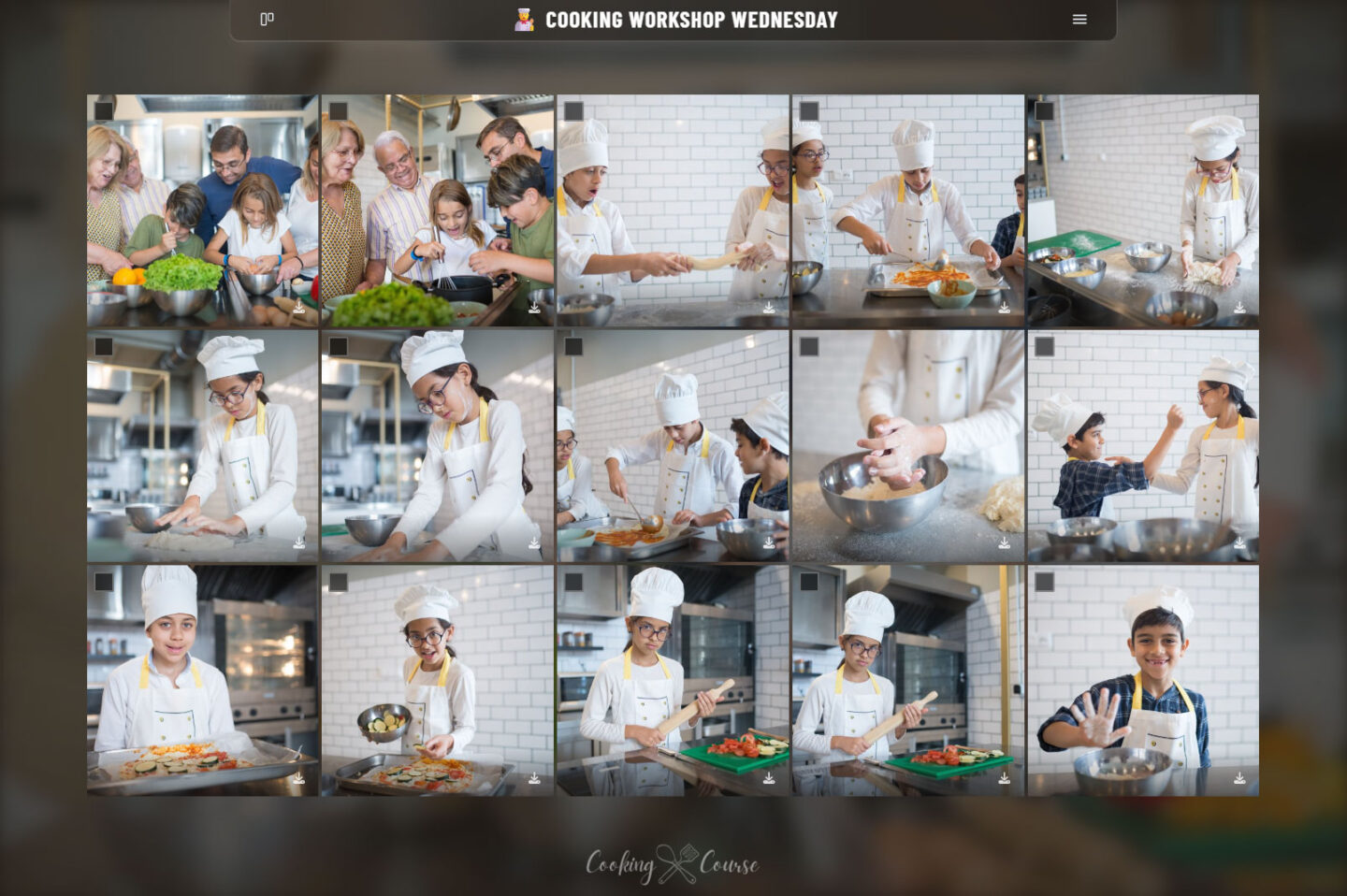
Cooking and baking workshops are full of moments worth sharing: the messy flour stage, the proud final dish, the shared meal at the end. At a beer brewing workshop or a tasting, a shared album also helps people remember which beer or wine they liked best.
Music, movement and performance
Think of a drumming circle, a guitar or singing workshop, a dance class or a yoga session in the park. Video matters here, and Eventograph keeps every clip in its original quality (up to 2.9GB per file!). A magic, circus or theatre workshop that ends with a small show for family and friends is perfect too: every parent filming from a different angle adds up to one complete recording.
Photography workshops
At a photography workshop, everyone brings a camera and the files are big. Because Eventograph never compresses anything, participants can share their best shots with the group in full quality. It is also an easy way for the teacher to collect the assignment photos for a joint review.
Workshops for kids
Children’s workshops are a category of their own. Think of a kids’ baking party, a cooking party for a birthday, a creative crafts afternoon or a day camp during the school holidays. Parents love to see what their child made, and a shared album lets you share the photos with the parents only, without posting anything on social media. If you work with children, it is wise to ask parents for permission to take photos in your registration form.
Show the photos live with the Live Photo Wall
Here is a nice extra. Connect a TV, projector or laptop to your album and the free Live Photo Wall plays a self-updating slideshow with three creative views. New photos appear in the loop within about 60 seconds.
It works wonders at the end of a workshop. Play it during the closing drink at a beer tasting, during the showcase at a kids’ day camp when parents arrive for pickup, or while everyone admires their paintings at a paint and sip evening. Seeing their photos on the big screen nudges people to upload more and the QR code stays in view the whole time. With PRO you can add your own logo to the wall and choose to show or hide the QR code.
Is it private?
Yes. Your album is private and only shared with the people who have the link. There are no ads, no trackers and nothing is used to train AI. Eventograph is a Belgian service hosted in the EU and GDPR compliant. On the free plan, the album deletes itself 15 days after the first upload, so nothing lingers online.
When PRO makes sense for workshop hosts
For a single workshop, the free plan is usually all you need. If you run workshops regularly as a small business, Eventograph PRO adds a few things that are genuinely useful:
- Keep the memories. PRO albums do not expire, so you can build a lasting collection of every session.
- Close uploads on your schedule. Turn uploads off now or plan it, for example one week after the workshop. The album then becomes a neat, finished gallery.
- Your branding. Add your logo, colours and a welcome text, or go fully whitelabel.
- Show it off. Link to the finished, branded albums from your website or newsletter, so future participants see what your workshops are like.
- Control and overview. Decide per album if visitors can download or delete, and manage all your sessions from one dashboard.
Not entirely convinced yet? You can try the full PRO for 7 days without a credit card.
Quick answers
How do I share workshop photos with participants?
Create one shared album and show its QR code during the workshop. Everyone uploads their own photos and downloads the full set later, without accounts.
Do participants need to share their contact details?
No. They only need the link or QR code. No phone numbers, email addresses or social profiles are exchanged or exposed.
Can parents see photos of a children’s workshop?
Yes. Share the album link with the parents only. The album stays private and is never public.
Can I put the photos on my website or social media afterwards?
With PRO, your albums never expire and carry your own branding, so you can share them on your Facebook or Instagram, or link to them from your website. Keep in mind: If you haven’t put it in your terms, do ask participants for permission before you use their photos for promotion.
Turn every workshop into a shared memory
The best workshops end with people who learned something, laughed a lot and want to remember it. One QR code makes sure everyone takes home all the photos, not just their own.
Create your free album at eventogra.ph before your next session, or use our free Android app or iPhone app to prepare and manage your albums on the go. And when you want to keep the memories and give them your own look, Eventograph PRO may be just for you!